
The Evolution of Bookmarks for Cool Kids.
Open tabs, saved links, Chrome bookmarks, and old sessions pile up in different places. Cool Kid Tabs puts them in one folder tree on your New Tab page and can organize it with your own model key.
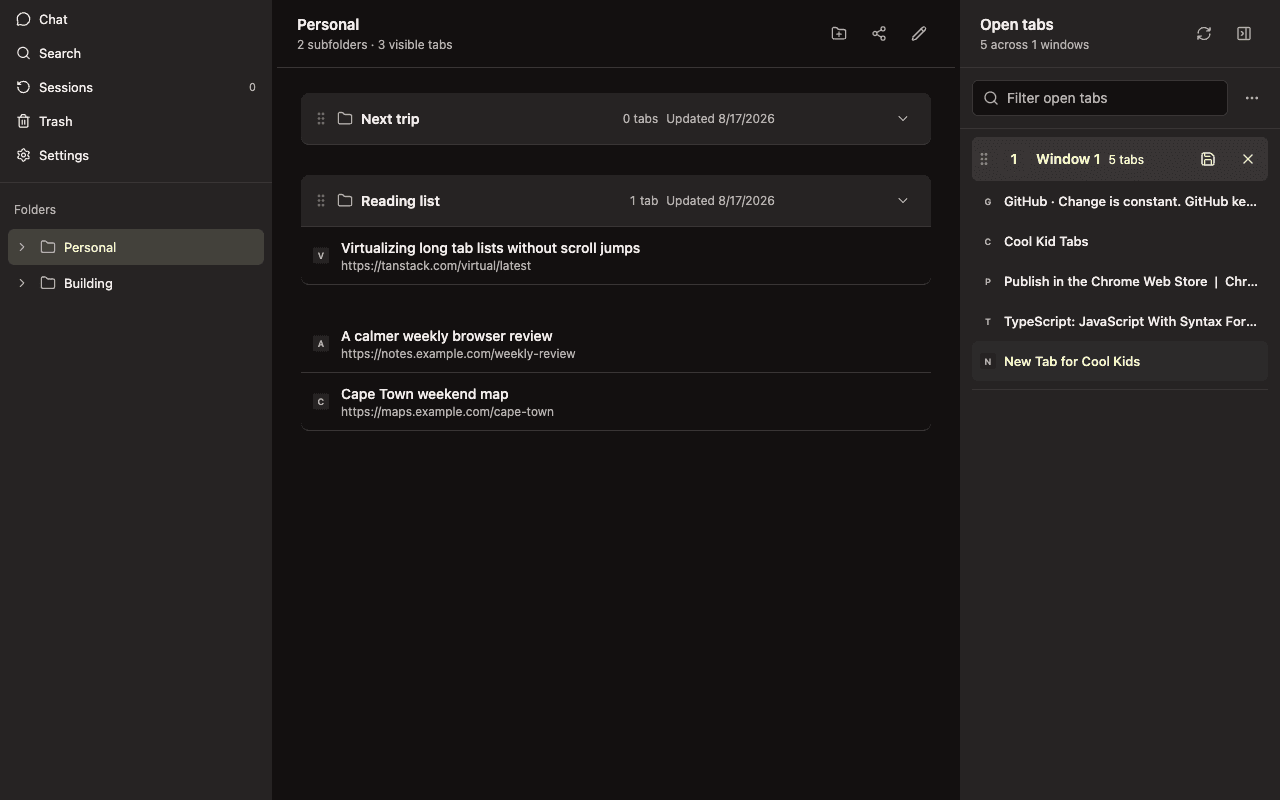
Complete browser context, organized deliberately.
Six focused capabilities keep tabs useful without turning the browser into another project-management system.
Save first. Sort naturally.
Keep one tab, selected tabs, or a whole browser window in one move. Put it in the right folder now or reorganize it later.
Folders all the way down.
Use one familiar structure for personal plans, active projects, reading lists, and every smaller thread beneath them.
Return without rebuilding.
Open saved tabs, restore a recent session, and pick up where you left off without rebuilding the browser window by hand.
See the window you have now.
Open tabs stay visible beside saved folders, so the current browser and the context you are keeping never drift apart.
Sync only when you choose.
Local use works without an account. Sign in only when you want folders and saved tabs available on another browser.
Organize through Chat.
Use your own OpenRouter, OpenAI, or compatible API key to reorganize the complete folder and tab JSON with named restore points.
The browser stays yours.
Connect Chat for one Chrome session, choose whether bookmark tabs materialize in Chrome, and keep local use independent from an account.
- Local-first folders and saved tabs
- Optional cloud sync and sharing
- Session-only OpenRouter or OpenAI-compatible Chat
- Bidirectional Chrome bookmark tabs
- Import, export, and full JSON backups
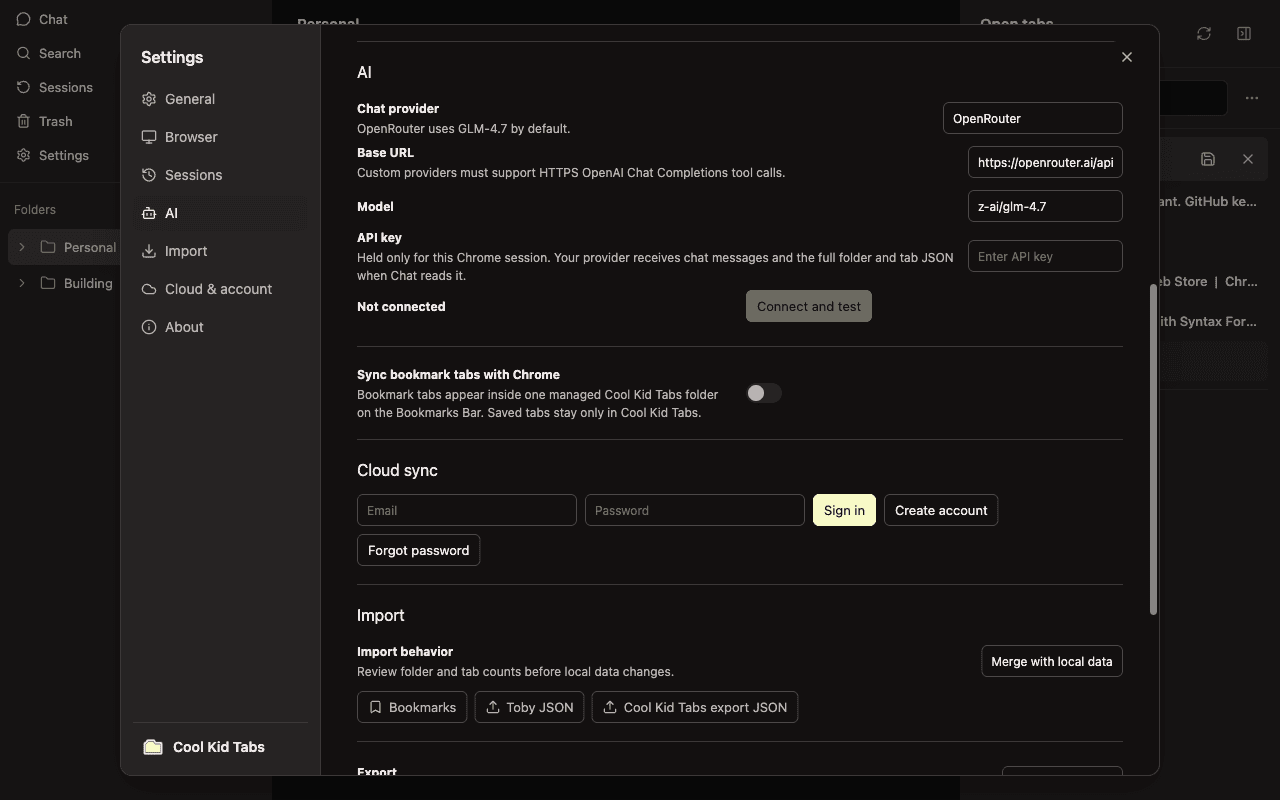
Your browsing context is treated as private.
URLs, titles, and folder membership stay on this browser unless you deliberately enable cloud sync, Chrome bookmark sync, or Chat with your selected provider.
Questions, answered directly.
Does it work without an account?
Yes. Folders, tabs, sessions, and settings can stay entirely in the local Chrome profile.
Does it read page content?
No. Cool Kid Tabs organizes tab URLs, titles, folder membership, sessions, and the browser actions you explicitly use.
Can I back everything up?
Yes. Import and export cover the complete folder and saved-tab structure as JSON.
Where can I install it?
Cool Kid Tabs is available from the Chrome Web Store. The source remains public on GitHub.
Keep the tabs. Lose the browser clutter.
Replace the New Tab page with one home for open windows, saved tabs, and folders.