
Edit your dev and CI variables in one place
If you're still copying environment variables across machines, sharing them with other people for local dev, and creating new API keys yourself by hand, you're behind. With Notenv and the Notenv CLI, your agents can organize, create, manage and rotate environment variables for all your repositories. It's the future.
APP_URL=localhost
DATABASE_URL=
RESEND_API_KEY=
DATABASE_URL
RESEND_API_KEY
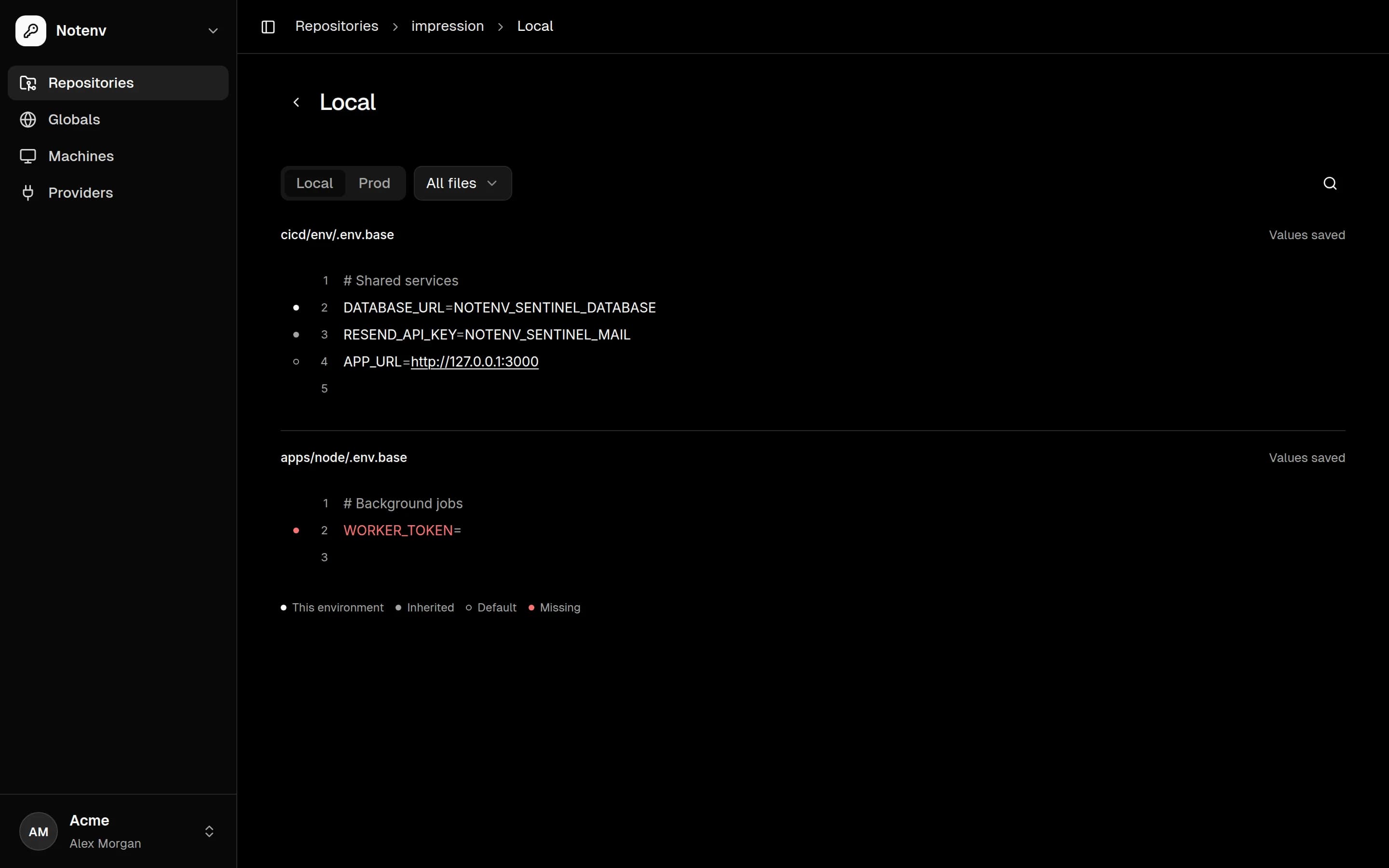
Edit values in the console.
Pick a repository and environment, edit a value, and see which variables are set here, inherited, defaulted, or still missing.
A little setup. A lot less copying.
Use the web console to manage values, and the CLI to deliver them to your app. Connect a GitHub or GitLab repository, or create a standalone project without Git.
Self-hosting is available from source. The public standalone release is still in progress.
Keeping configuration in order at
 Impression
 Outsource Think
 Soulv
From a new repo to a running app.
For a connected project, the workflow starts with a small file that says what your application needs.
Declare what you need
Commit a .env.base with public defaults and empty slots for secrets. Anyone can see what the app expects.
Give each secret a home
Add protected values in the console. Keep local, staging, and production values separate, and see where each one comes from.
Run your usual command
Notenv resolves the declared values and passes them to the authorized child process. Your application reads its environment as usual.
APP_URL=http://localhost:3000
DATABASE_URL=
RESEND_API_KEY=notenv exec --environment local --contract .env.base -- npm startOne place to see what comes from where.
Shared values, personal settings, and project overrides can live together. The console shows the source beside each variable, so you can understand the setup before you change it.
| Variable | Source | |
|---|---|---|
| APP_URL | http://localhost:3000 | Git default |
| DATABASE_URL | •••••••••••• | This environment |
| RESEND_API_KEY | •••••••••••• | Tenant Globals |
| OPENAI_API_KEY | •••••••••••• | Personal Globals |
Git explains the config. Notenv supplies the values.
The file in your repository tells the team which variables exist and which defaults are public. An empty assignment marks a protected slot. Notenv stores its value separately and only delivers declared names.
In your repository
Names, comments, public defaults
In Notenv
Encrypted values, scopes, permissions
In the running process
Only the declared configuration
Change a shared value once.
A mail key used by five apps should not mean five places to update. Tenant Globals share values across authorized projects. Personal Globals hold your own settings. Add an environment override when one app needs something different.
Tenant Globals
RESEND_API_KEYLet your agent wire it up.
An agent can inspect variable names, check contracts, and launch an authorized command without printing secret values into the conversation. You can edit values in the console while your agent handles the plumbing.
notenv repository-plan .Contract: .env.base APP_URL · public default DATABASE_URL · protected slot RESEND_API_KEY · protected slot
Illustrative plan. Names and configuration structure, without the values.
The same contract, all the way to deployment.
Keep the variable names with your code and select the environment when you run it. Your laptop can use local values while an authorized production process receives production values.
notenv exec --environment prod --contract .env.base -- npm startRequires an enrolled machine and an accepted contract. Your app decides which variables are required.
Read the execution guideChoose where you run it. Know who holds the keys.
Use the hosted console, or run your own Notenv installation. Self-hosting puts the server, encrypted data, and installation key custody under your control. Machine identities stay with the local broker.
Open source. Open to a closer look.
The server, console, CLI, and machine broker are in the Notenv repository, licensed AGPL-3.0-only. Read how it works, run it yourself, or help make the next release better.